
Boutique Store POS Software for Smooth Operations & Growth
CoreSoftware helps new boutique clothing stores manage billing, barcode stock, orders, payments, staff access, and audits for faster, more organised growth.
POS SOFTWARE
11/25/20255 min read

India’s boutique clothing market is buzzing—from ethnic wear to fusion outfits, customers want something unique. Many ambitious entrepreneurs start their own boutique, but within a few months, they realise that running a retail store is very different from selecting beautiful designs. Daily operations become difficult, and scaling becomes even harder without the right tools.
This article explains:
What new boutique owners struggle with
Where most boutiques lose money unknowingly
Why the Indian market still offers big opportunity
How RetailCore POS helps boutiques operate professionally
Real examples from Indian cities
1. The Practical Difficulties Faced by New Boutique Stores
A. Managing Large Varieties of Stock
Boutiques handle hundreds of pieces that often look similar:
Multiple colours of the same kurti
Same design in 4–5 sizes
Fabrics that differ only slightly
Seasonal collections
Without a structured system, confusion becomes a daily routine.
Typical problems:
Items misplaced
Billing incorrect item
Difficulty finding stock during peak hours
No clarity on fast- or slow-moving items
B. Order Commitments Without Proper Tracking
Most boutique stores accept:
Alterations
Made-to-measure stitching
Advance-booked outfits
Delivery-date-based orders
When records are maintained on paper or mobile notes:
Tailoring slips get misplaced
Wrong item gets altered
Ready date is forgotten
Argument with customers happens
This affects reputation and repeat business.
C. Money Management Becomes Complicated
Payments come in many forms:
UPI
Cash
Advance
Balance on delivery
Mixed payment modes
If a customer comes after a week and asks, “How much balance is pending?”—many store owners struggle to answer confidently.
End result: money leakage.
D. Staff Oversight Without Losing Control
Boutique owners usually start with 1–3 staff members. But they don’t want:
Staff viewing purchase prices
Sales editing
Deleting entries
Accessing reports
A clear permission-based control system is crucial.
E. Missing Stock & Internal Theft
This is one of the most common reasons new boutiques lose profits.
Problems include:
Items vanishing
Stock swapped accidentally
Mistakes during purchase-entry
No proper verification
A boutique with 300–500 pieces can easily miss out on 15–20 items a month if auditing is not done properly.
3. How RetailCore Software Helps Boutique Stores Operate Smoothly & Scale Up
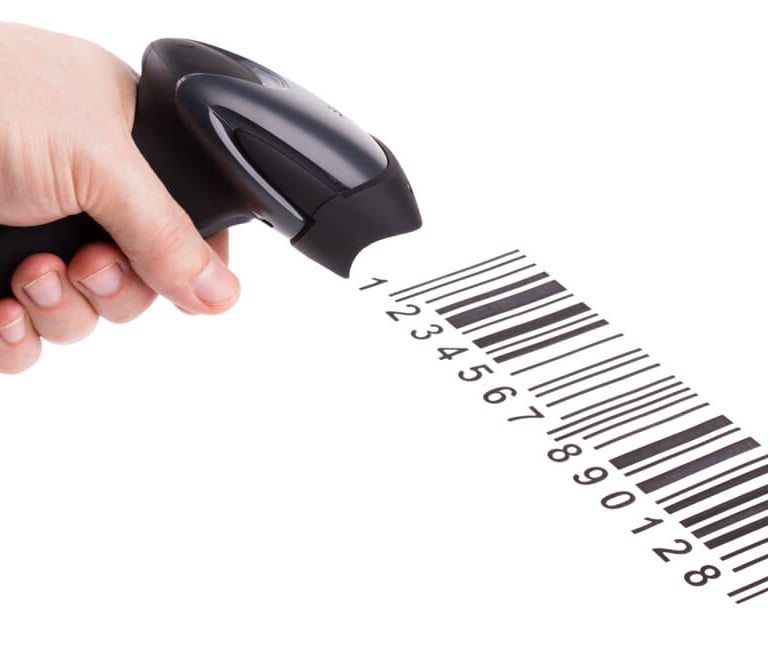
A. Barcode Management for Accurate Inventory
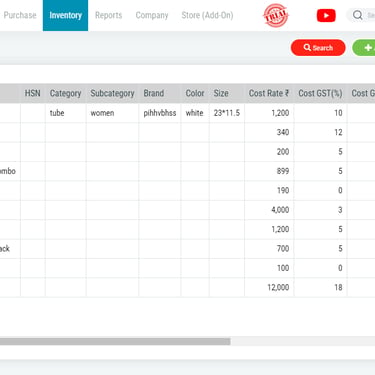
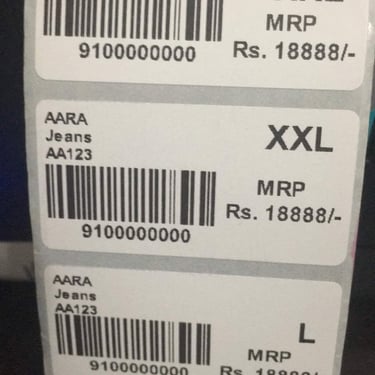
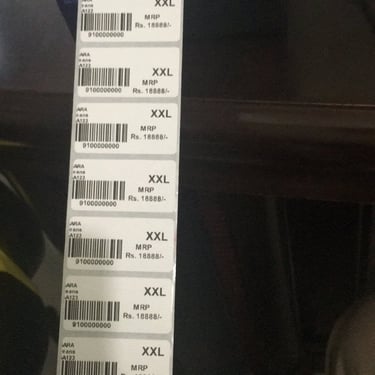
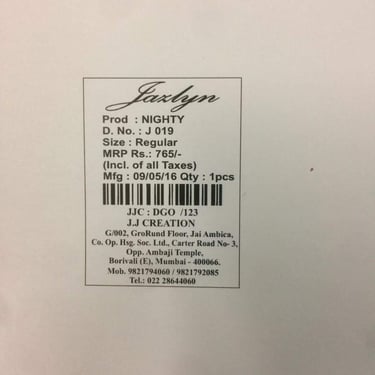
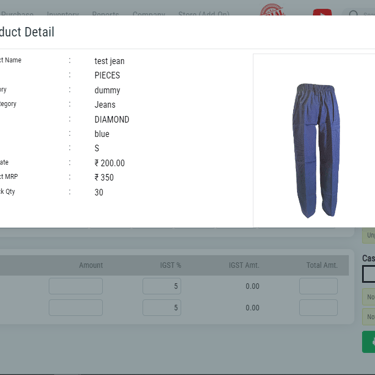
Every piece gets a unique barcode—based on size, colour, style, pattern.
Benefits:
Precise billing
Faster checkout
No confusion among similar designs
Better visibility of stock availability
Case Example – Surat:
A boutique in City Light area reduced wrong-billing incidents drastically after switching to RetailCore Software’s barcode system.
B. Automatic Tracking of Advance, Balance & Payment Modes
RetailCore Software records each payment mode and links it to the customer’s order.
Owners can see:
Who paid advance
Who has pending balance
Payment mode breakup
Due dates
Case Example – Hyderabad:
A boutique in Banjara Hills recovered old unpaid balances worth ₹27,000 because the software clearly showed all pending dues.
C. Tailoring & Alteration Management
CoreSoftware keeps a digital record of:
Order details
Expected completion date
Tailor assigned
Payment status
Delivery status
No more misplaced slips or frustrated customers.
Example – Kolkata:
A boutique in Salt Lake manages around 50–60 tailoring jobs weekly using RetailCore Software’s order tracking tool.
D. Staff Access Based on Role
Owners can define exactly what staff can see or edit:
Billing only
No access to purchase price
Restricted item addition
Reports locked
Sales return locked
This keeps business data protected without restricting staff productivity.
E. Stock Audit to Detect Missing Items & Discrepancies
RetailCore Software highlights the difference between:
Physical stock
Software stock
This helps boutiques catch:
Internal theft
Wrong stock counting
Incorrect purchase entry
Vendor mistake
Case Example – Indore:
A boutique in Old Palasia identified nearly ₹18,500 worth of stock mismatch during their first detailed audit.
F. Mobile Access for Owners
Even if the owner is:
at home,
travelling,
or managing another shop,
they can still see:
Daily sales
Fast-moving designs
Profits
Stock summary
Staff billing activity
This gives full control without being physically present.
G. Exhibition Mode for Pop-Up Counters
Pop-up stalls at:
Diwali exhibitions
Wedding expos
Local fairs
Mall kiosks
require fast billing and basic stock tracking.
RetailCore Software’s special POS mode helps temporary counters:
Bill quickly
Track exhibition stock separately
Merge sales with main store after event
Example – Bangalore:
A boutique used RetailCore Software at a pop-up in Jayanagar and handled high customer flow without any confusion.
4. RetailCore Software Support for New Boutique Owners
✔ Free Personal Demo
Understand the system step by step.
✔ Complete Store Setup
Team helps upload stock, create categories, and generate barcodes.
✔ Unlimited Training Sessions
Repeat training provided for staff changes or new features.
✔ Quick Support
Phone, WhatsApp, and remote support for fast resolutions.
✔ Smooth Transition
Most boutiques start billing within 1–2 days.
Opening a boutique store is a rewarding business, but only if the operations are disciplined. Managing designs, customers, payments, and staff requires a system built for retail. RetailCore Software gives boutique owners the structure they need to grow confidently—right from day one.
FAQ for Boutique Clothing Stores Using RetailCore Software
1. Is RetailCore Software suitable for newly opened boutique clothing stores?
Yes. RetailCore Software is designed for new boutiques that need simple, fast, and organised billing, stock control, and order tracking from the first day of business.
2. Can RetailCore Software handle barcode generation for different sizes and colours?
Absolutely. You can generate barcodes for every size, colour, fabric, and style so that similar-looking items never get mixed up during billing.
3. Does the software help manage tailoring, alteration, and custom orders?
Yes. RetailCore Software has a built-in order management feature where you can record stitching instructions, expected delivery dates, tailor assignment, and payment status.
4. How does RetailCore Software help prevent stock loss or theft?
The software provides a stock audit module that compares physical stock with system stock. Any mismatch is highlighted immediately, making it easier to detect issues.
5. Can staff use the software without accessing sensitive data?
Yes. Owners can control what each staff member can see or edit. This includes restricting access to cost price, reports, stock edits, and returns.
6. Does RetailCore Software support exhibitions, pop-ups, and temporary kiosks?
Yes. RetailCore Software offers a special POS mode that lets boutiques take stock to exhibitions, bill quickly at events and sync the sales in retail-time to the main store.
7. Do you provide help with store setup and barcode design?
Yes. RetailCore Software’s team assists with category setup, product upload, barcode creation, and full onboarding to ensure a smooth start.
8. Will I get training for my staff?
Yes. Unlimited training is provided—whenever needed. This is helpful when new staff join or new features are added.
9. Can boutique owners check their store performance from anywhere?
Yes. Owners can access sales, stock, reports, and customer details from their mobile or laptop anytime.
10. How fast can I start using RetailCore Software after signup?
Most boutique stores begin billing within 24–48 hours after onboarding.
Customers gallery
Retail Store customers dealing in fashion & accessories items







































Ready to Get Full Control of Your Boutique Operations?
Track Payments, Orders & Stock with Ease
Top rated by 100+ clients
★★★★★
Built for Indian Retail
We work daily with many retailers in sectors like:


Textiles, fashion apparel & footwear


Cosmetics, fashion accessories & gifts


Mobile phones, electricals & electronics
Grocery, organics & general stores



Get in touch
Address
Westfield, Ghod Dod Road, Surat, India.
Call / Write
Made in India


Udyog Aadhaar Number: GJ22D0190392
RetailCore Technologies © 2012-2026

